
Microsoft Office logo.

Office + Administrate

Connect all of your training data to Microsoft Office.

Administrate connects training data to Microsoft Office

Administrate syncs training data from all of your calendars into Office.

Eliminate errors by automatically managing instructors, classrooms, and resources.

Build Office integrations using Administrate’s flexible open API.

Sync data between Office and your entire learning tech stack.

Training Management System

Administrate syncs learner and instructor calendars with Microsoft Office

Microsoft Office houses instructor, learner, resource, and venue calendars. Managing all of this data with just an LMS means manual data entry. That’s an error-prone problem that raises the cost of ILT. Administrate is a training management system that syncs data from all of your learning technologies with Microsoft Office. This lets you schedule ILT events automatically, manage instructor communications, and access training data. And that’s just scratching the surface of what Administrate can do.
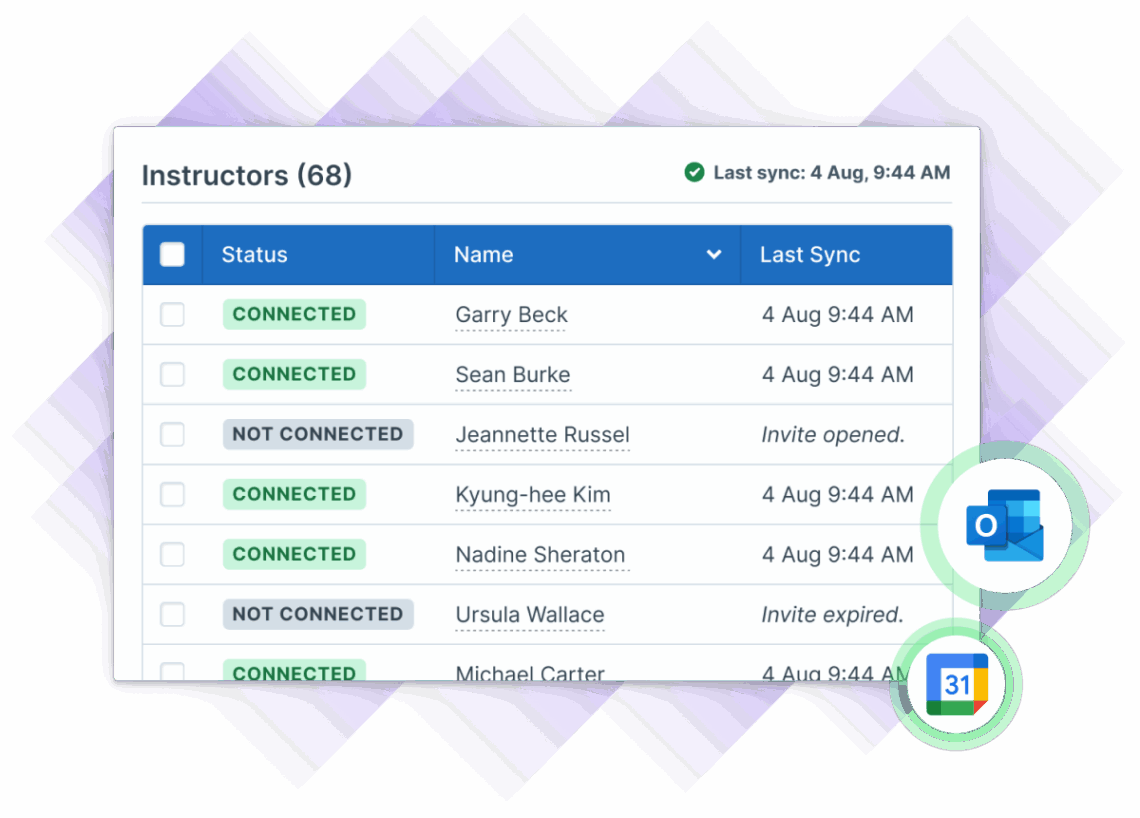
Illustration of Administrate's UI for listing instructors with their connection statuses, names, and last synchronization status.
Illustration of a Medical Imaging Training Q1 schedule in Administrate's Scheduler, showing resource and room assignments for MRI Simulation Labs in January. The schedule lists four labs: Atlanta, Boston, Edison, and Las Vegas, with a conflict warning in Boston Lab on January 5th. A hand cursor is dragging an assignment within the schedule and the interface is showing where there are already conflicts. At the same time, calendar information is overlaid with an image of the instructor who has the conflict and his calendar showing that he is out of office on the original day, but free on the second day.

AI-Powered Scheduling

Plan hundreds of live training sessions in minutes

Administrate is the only training management system with AI-powered planning and scheduling. Add constraints, unique requirements, and targets then Administrate drafts a schedule to meet your targets. You can edit for precision as much as you want. Say goodbye to that giant ILT spreadsheet that crashes too often.

Data Sync

Sync all of your L&D data with Office

Administrate acts as a central hub for your training data, no matter where it comes from. Then, using our powerful API, Administrate syncs data with Microsoft Office so all records are always updated. Instructor credentials, calendars, availability, and communications are updated in all training systems without manually duplicating data.
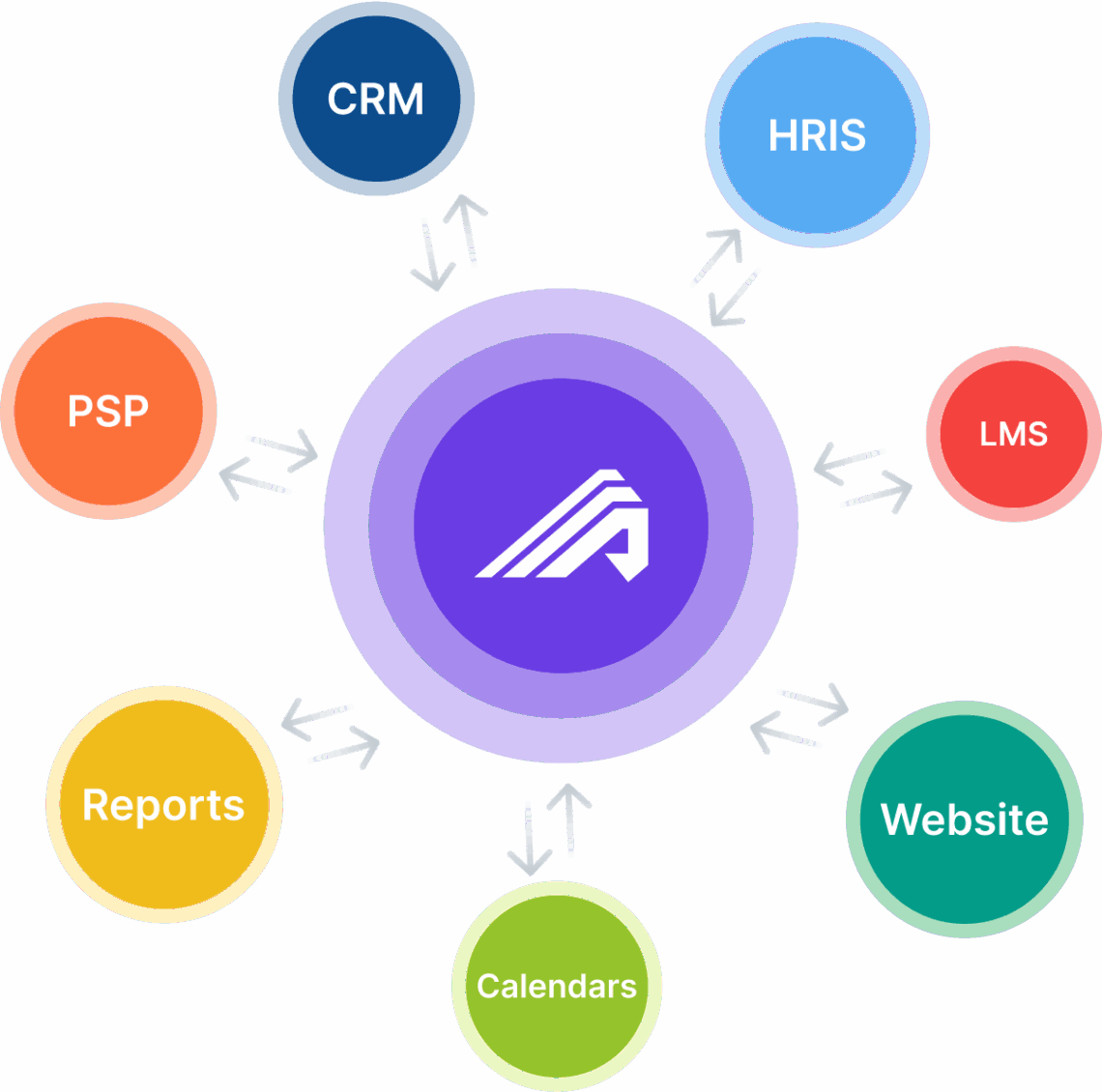
Administrate integrates with key systems—CRM, HRIS, Docebo, training websites, calendars, financial tools, and reporting—creating a unified hub for managing enterprise training operations. This diagram from Administrate shows the TMS as the operational core, connecting and syncing data across all training-related platforms.
Workflow example of handing an instructor response and what can happen afterwards.

Custom Solutions

Build drag and drop automation workflows that leverage Office

Administrate Automator is a drag and drop automation builder that can combine all of your learning technology (not just Administrate) to create complex, unique workflows. It can connect with Office as well to create custom instructor waitlist solutions, automated surveys, just-in-time communications and a lot more.

Report on Everything

Powerful reporting engine shows your impact

Training data is often fragmented, siloed, or inaccessible. Administrate makes it easy to capture training data from anywhere, build custom fields, and connect them to anything else. Deliver custom reports and forecasts that can connect to existing BI tools like PowerBI. Reports can be emailed automatically.
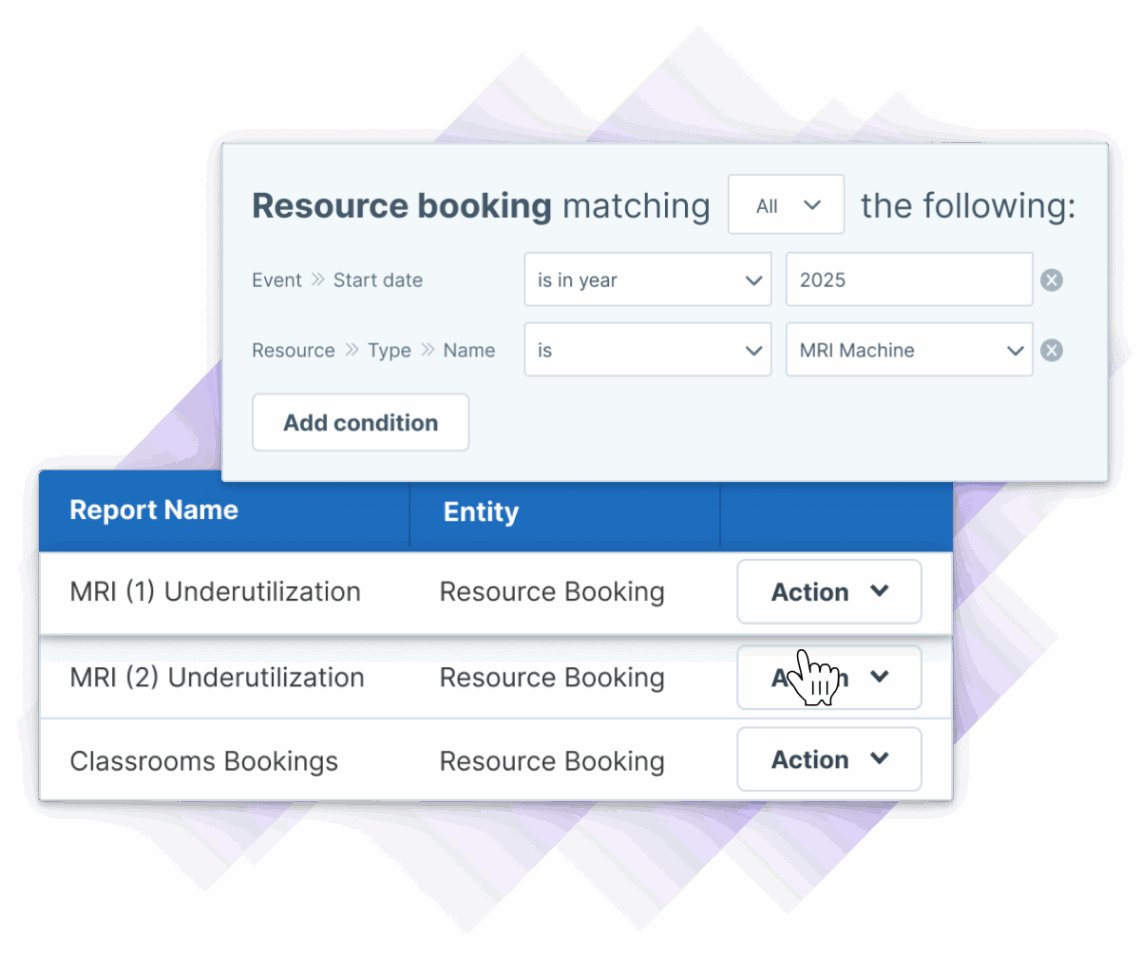

Screenshot of Administrate’s software showing how to build a resource use report.

Frequently asked questions

Administrate connects to Microsoft Office through a native integration that syncs training data in real time. This includes instructor calendars, learner schedules, resource availability, and venue information. Using Administrate's flexible open API, you can build custom Office integrations that automatically update records across all systems, eliminating the need for manual data entry and reducing errors in your instructor-led training programs.

Administrate's AI-powered Scheduler allows you to plan hundreds of live training sessions in minutes. Simply add your constraints, unique requirements, and scheduling targets, and Administrate automatically drafts a schedule to meet your needs. You can then refine and edit the schedule as much as necessary for precision. This eliminates the need for cumbersome spreadsheets that are prone to crashing and makes complex ILT scheduling manageable.

Yes, Administrate acts as a central hub for all your training data, regardless of where it originates. The platform can sync data between Microsoft Office and your entire learning tech stack in real time. This means instructor credentials, calendars, availability, and communications are automatically updated across all connected training systems without manual duplication, keeping all your records current and accurate.

Administrate Automator is a drag-and-drop automation builder that allows you to create complex, custom workflows by combining all your learning technologies, including Microsoft Office. You can use it to build solutions like custom instructor waitlists, automated surveys, just-in-time communications, and many other unique workflows tailored to your organization's specific training management needs.

Administrate addresses the common problem of fragmented and siloed training data by making it easy to capture data from any source, build custom fields, and connect information across systems. The powerful reporting engine allows you to deliver custom reports and forecasts that can integrate with existing business intelligence tools like PowerBI. Reports can also be scheduled to be emailed automatically, giving you visibility into your training program's impact.

See how it works

Administrate integrates with MS Ofice and other enterprise tools. We can show you why that’s so valuable for your team.